SIP wall panels with coordinated door and window openings during on-site assembly.

Design & engineering support

From design intent to kit information.

Your architectural design is the starting point for a Ready-to-Assemble SIP Kit. Quacent coordinates panel layouts, openings, connections and production information with your appointed project team.

Information for review

Send the current drawing issue.

Your architectural design is the starting point for a project-specific kit. Provide plans, elevations and sections with levels, dimensions, openings and roof geometry. Identify the revision and issue date, together with the questions still being resolved.

State the project location and intended use. Identify foundations, supporting structures, windows, roof and façade layers, and services that interact with the kit. Your responsible designers establish the applicable loads, performance requirements and local conditions.

PDF is suitable for an initial review. Use the enquiry form to arrange transfer of DWG or IFC information or to discuss a secure file link. Name the architect, local lead structural engineer, contractor and person authorised to confirm changes.

Prepared panel components arranged on timber supports in the factory.
Prepared components in the factory. This photograph is separate from the drawing and model references below.

Coordination before manufacture

Resolve geometry, connections and the revision together.

Panelisation relates the building to individual manufactured elements. Openings, supports and junctions need to work with both the architectural design and the contractor’s handling questions before component geometry is fixed.

01

Review the interfaces

Quacent records questions and assumptions within the agreed kit scope. The responsible designers resolve the building-wide interfaces, including the relationship to the foundation and supporting construction.

02

Develop the kit information

Coordinate panel boundaries, openings and connections. Agree which layout drawings, component references, details and calculations form part of the supply, and who checks each item.

03

Approve the production issue

Keep coordination drawings distinct from documents released for manufacture. Confirm the revision, dimensions and specifications through the nominated contacts; assess later changes before issuing a new instruction.

Read the building in more than one view

Plans, roof geometry and elevations.

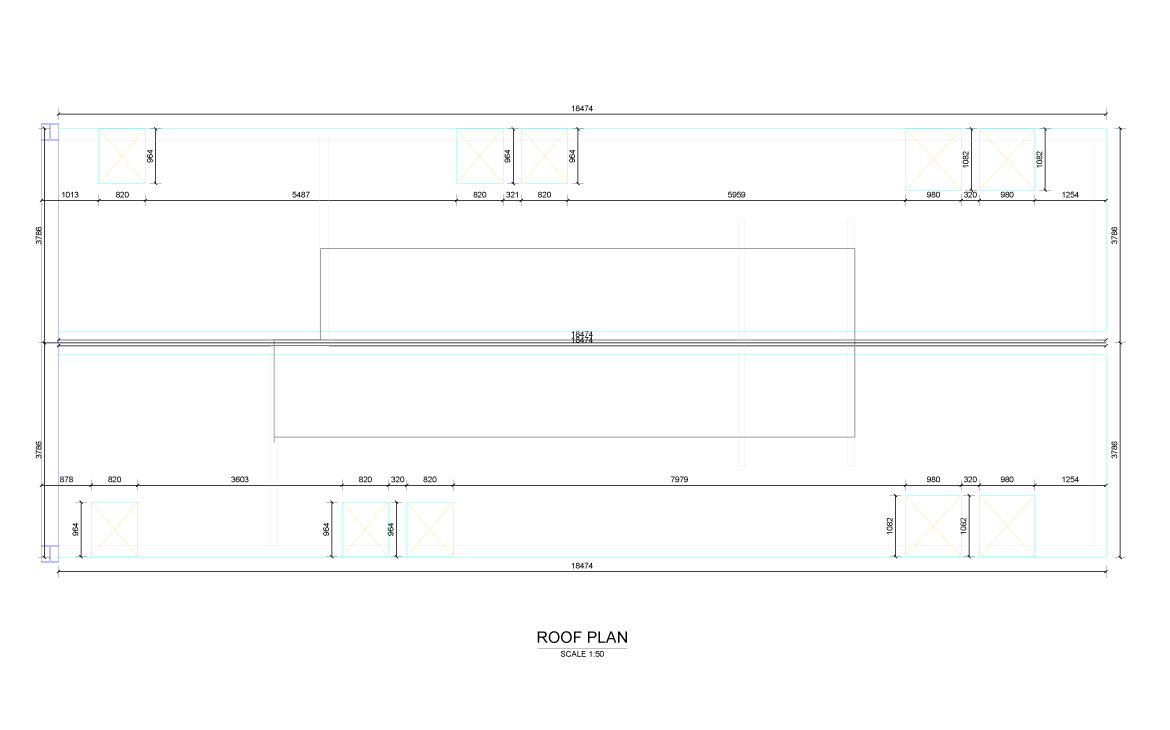
These drawings illustrate the information used in kit preparation. Read the views together to connect levels, openings and panel positions. Each image opens at its original resolution; construction uses the checked issue for the actual project.
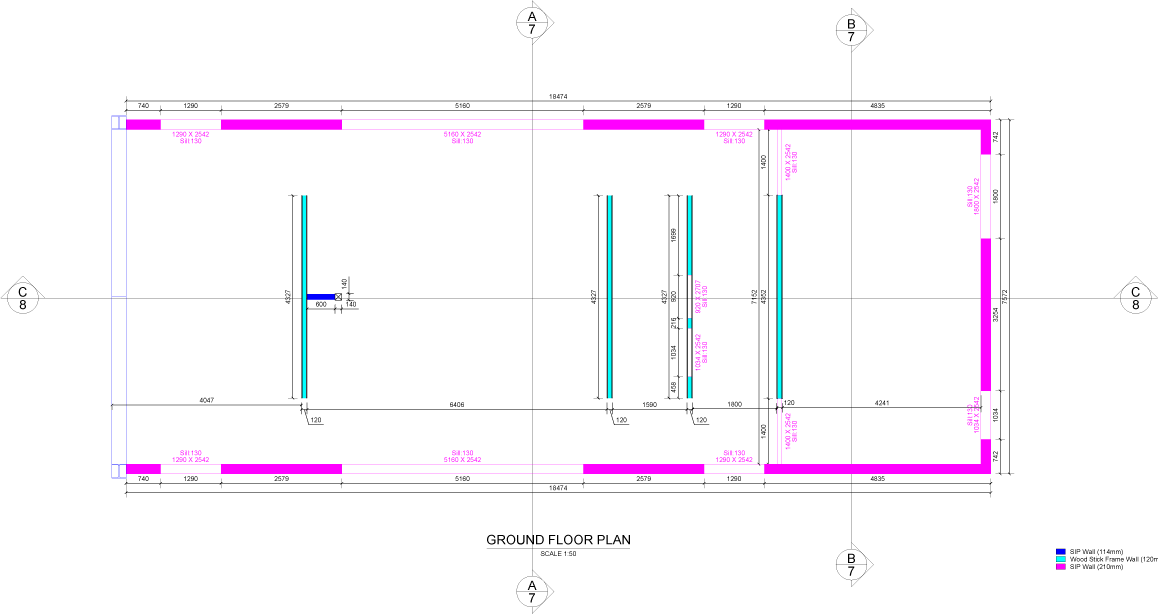
Ground-floor drawing with wall lines, dimensions and coloured structural references.
Ground-floor plan · Open full drawing
Roof-plan drawing showing the roof outline and dimensions.
Roof plan · Open full drawing
View the panel layout, first-floor plan, attic plan and elevations
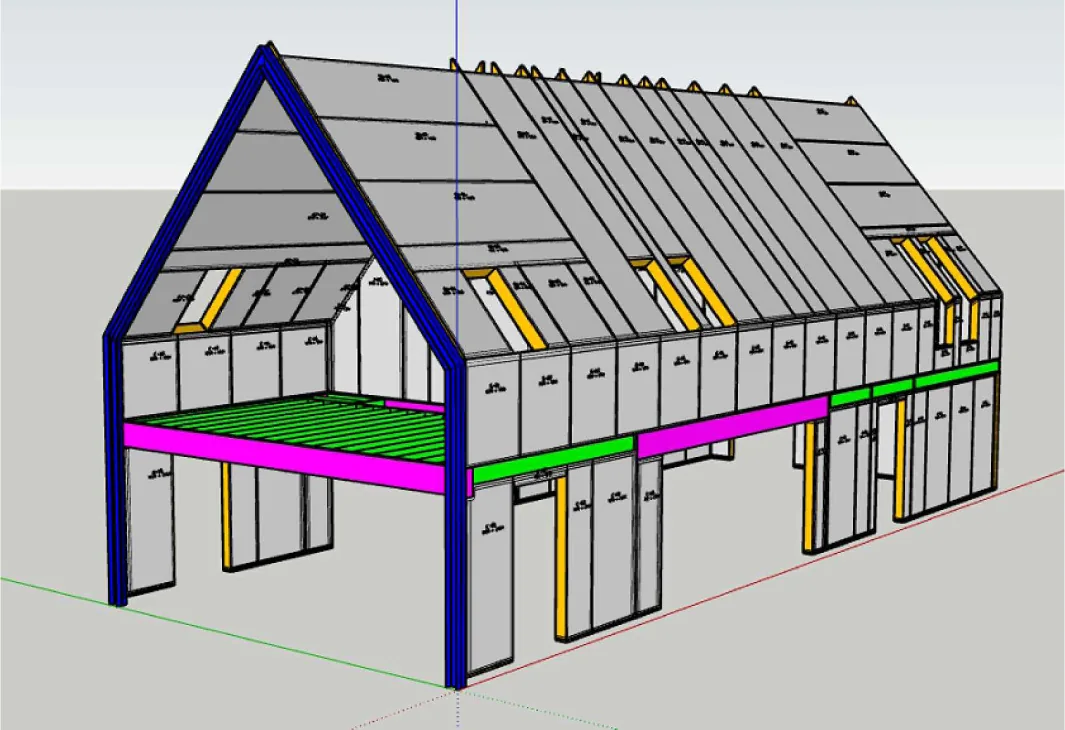
Complete panelisation drawing showing wall openings, floors and roof geometry.
From building geometry to a coordinated panel layout.
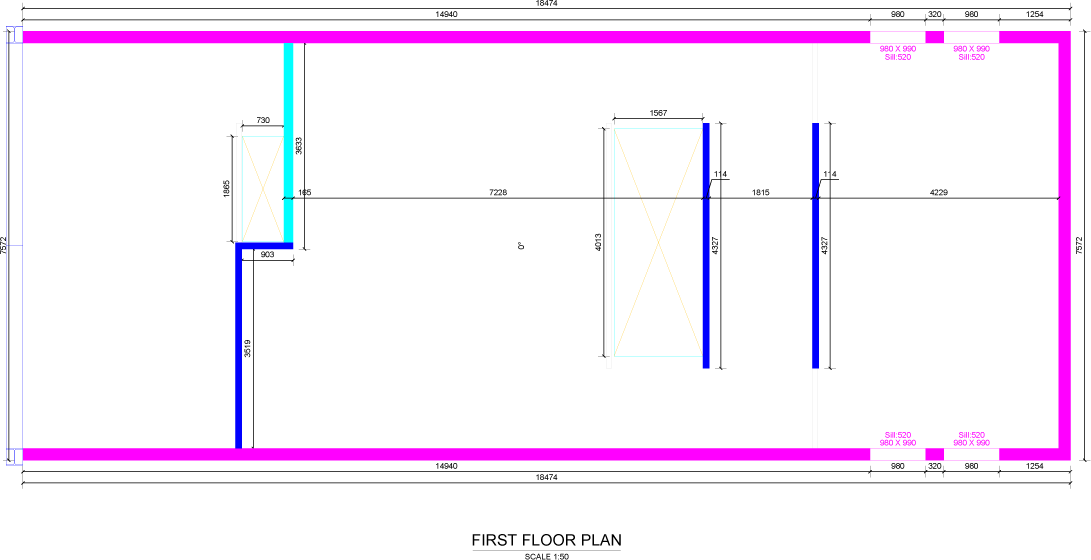
First-floor drawing with wall layout and coloured structural references.
First-floor plan · Open full drawing
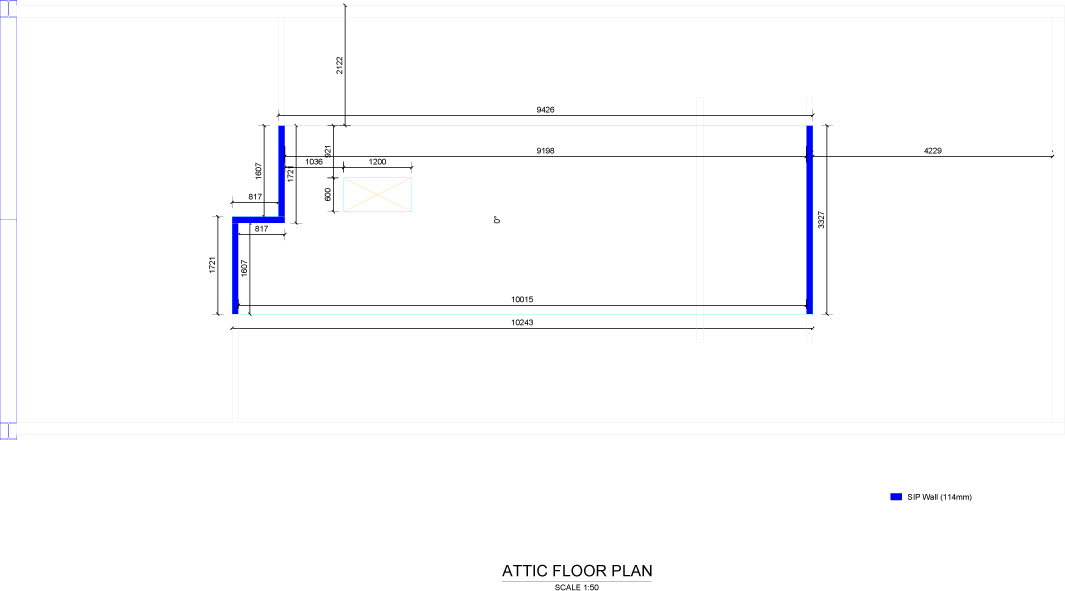
Attic-floor drawing showing dimensions and perimeter wall lines.
Attic-floor plan · Open full drawing
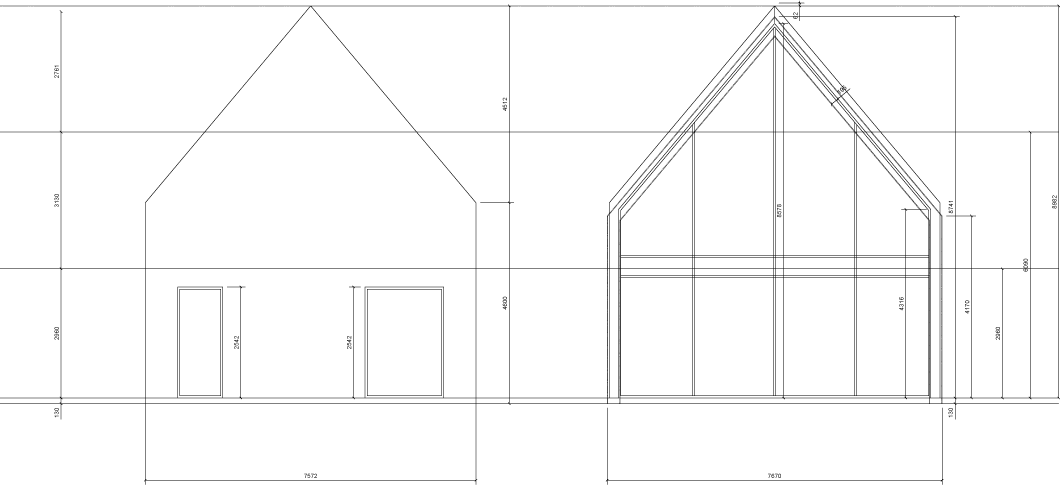
Two building elevations showing the pitched roof, openings and structural outlines.
Building elevations · Open full drawing

Delivered project · interactive model

Inspect a delivered kit in 3D.

Model reference: INST.1112NE-20-V1. This is a delivered Quacent Ready-to-Assemble SIP Kit project, separate from the drawing set above.

Use the model to explore the geometry and relationship between elements. Drag to rotate, and scroll or pinch to zoom. Rotation is optional; the viewer loads only when you choose to open it.

A model supports coordination, but does not replace checked construction details. Your project team uses its own approved revision for manufacture and assembly.

Delivered RTA SIP KitINST.1112NE-20-V1

Explore the project geometry in the interactive viewer.

The 3D model loads on request. The drawings remain available without it.

From document to component

Keep the panel reference connected.

A panel reference is useful through manufacturing, packing, receipt and installation. Connect it to the drawing issue and relevant detail so a site question can be traced back to the agreed information.

When a revision affects several components, identify them together. Confirm who updates the drawings, who approves the change and how the revised issue reaches the factory and installer. Continue to identification, packing and delivery.
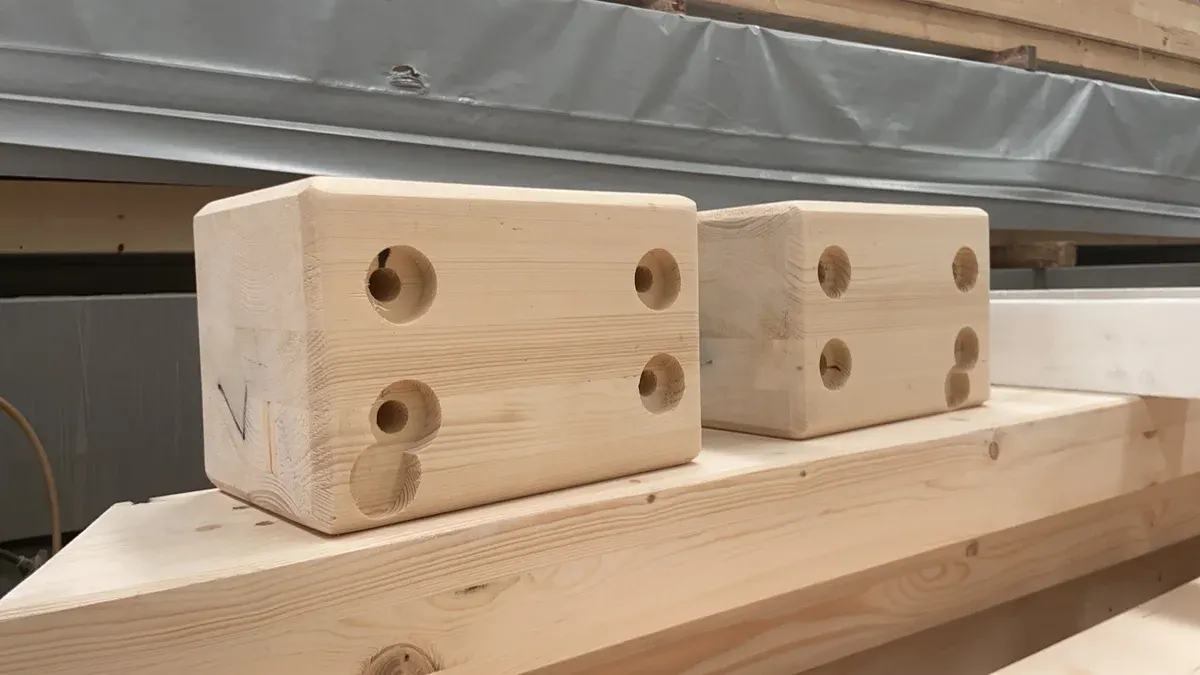
Timber connection components with drilled holes on a factory work surface.
Connection components are coordinated with the kit information.

A coordinated design team

Agree who designs, checks and approves.

Quacent

Coordinates production information and the engineering expressly included in the kit quotation. The documents, checks and support supplied are agreed for the project.

Architect & local engineer

The architect coordinates the building design; the local lead structural engineer coordinates overall stability and interfaces. Identify the responsible professional for each calculation and detail.

Client & contractor

Confirm decision makers, supply boundaries and execution interfaces. Local permits, foundations, fit-out and overall project engineering remain with the appointed parties unless a written agreement states otherwise.

Useful to know

Questions before the next step

The right preparation starts with a clear question. These are the decisions to bring into your project discussion.

Can we submit drawings before the design is complete?

Yes. Identify the current revision, unresolved items and the specific question for review. Early coordination is distinct from the approved information required for production.

Can an opening be changed during assembly?

Raise the proposed change with the responsible designer and Quacent contact before altering a structural element or connection. Identify the drawing revision, component reference and affected junction so the consequences can be reviewed.

Your next step

Request a Technical Review

Include the drawing revision, project location and the technical question. Name the designer responsible for the relevant interface.